CURRENT JOBSITE
Riverside Distribution Center
SCAN TO START
Open the assigned task
Ready
NEXT WORKFLOW
Daily Site Inspection
Estimated time: 4 minutes
Put inspections, observations, toolbox talks, JHAs, and SDS access at the jobsite. Each response stays connected to the location, work context, and next step.
Occasional product news. Unsubscribe anytime.
RadiumQR is designed around the way work actually happens: at jobsites, around equipment, and in the moments when clear guidance and dependable documentation matter most.
Put the right inspection at the right location, guide completion, and keep results organized for follow-through.
Document hazards, conditions, and positive practices directly from the field with useful context attached.
Make safety conversations easier to run and keep attendance and signatures connected to the record.
Put hazards, controls, and team acknowledgment into a practical, accessible job hazard analysis workflow.
Help teams reach the safety data they need without searching through binders, folders, or disconnected systems.
Jobsite QR codes connect people to the correct safety experience. RadiumQR guides the interaction and keeps the resulting record connected to the customer, jobsite, and work context.
Open the relevant field workflow from a posted QR code.
Follow a focused, mobile-friendly safety experience.
Keep structured records and visibility in one place.
Choose a fictional safety workflow, record four responses, attach sample evidence, route an issue, and compare the field entry with the supervisor view.
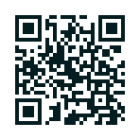
Use your phone cameraor continue in this browser.
Open the walkthroughThe person doing the work gets a focused experience. Authorized teams keep the context needed to review results and act on what remains open.
Public QR workflows are designed for modern phones and do not require an app.
Customer, jobsite, workflow, response, and follow-up remain part of the same record.
Public participation remains narrow while administrative and reporting tools require authorization.
Informed by construction, manufacturing, warehousing, and general-industry work.
Browse practical questions about field use, workflows, records, privacy, and launch planning.
Ask a different questionThe code opens the workflow assigned to that place, asset, task, or document. The person sees a focused experience rather than a generic menu, while the record retains the source context.
Public QR workflows are designed to open in a modern mobile browser without an account or app. Administrative, reporting, and configuration tools remain limited to authorized users.
Yes. The planned model supports separate codes for areas, equipment, tasks, documents, and recurring activities so each scan can open the most relevant experience.
The core product is being built around inspections, field observations, toolbox talks, job hazard analyses, and safety data sheet access.
A flagged result can remain linked to its inspection while an authorized user assigns an owner, priority, target date, and follow-up status. The exact controls will depend on the configured workflow.
That is the intent of the authenticated dashboard: authorized supervisors and administrators can review activity, open items, and connected records without returning to the posted QR code.
The QR configuration identifies the relevant customer, jobsite, area, asset, or workflow. Submitted results then carry those structured references forward instead of relying only on free-form notes.
RadiumQR is being designed for authorized Radium employees with role-based Admin and Supervisor access. Public participants receive only the narrow workflow opened by the QR code.
No. The walkthrough uses fictional information and runs locally in your browser. Reloading or closing the page clears the sample state.
No. The product is being informed by construction, manufacturing, warehousing, and general-industry work where quick field access and organized follow-through matter.
No. Software can support access, consistency, documentation, and review, but it cannot replace training, hazard assessment, professional judgment, supervision, or legal duties.
A public release date has not been announced. The launch list is the best place to receive meaningful product milestones and pilot-opening notices.
Submit the launch form with a work email and company name. Optional details about your role, team size, and workflow interests help Radium Consulting evaluate potential pilot groups.
Try a broader term or choose another category.
Join the list for major milestones, pilot openings, and occasional requests for product feedback.
We’ll be in touch when there is useful news to share.
Back to the top